Edit photosFree
Turn any snapshot into a studio photo on a white background
Studio Photo turns an everyday snapshot into a clean studio photo for your store. Your product is cut out, centered on a white page and set down with a soft floor shadow. It's free and online: open it in your browser or in the StokX app, with no backdrop, no lights and no coins.
Free · no coins
How to make a studio photo on your phone
- 01
Snap your product
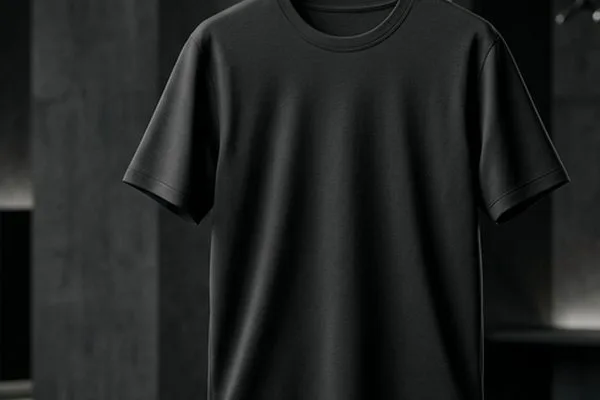
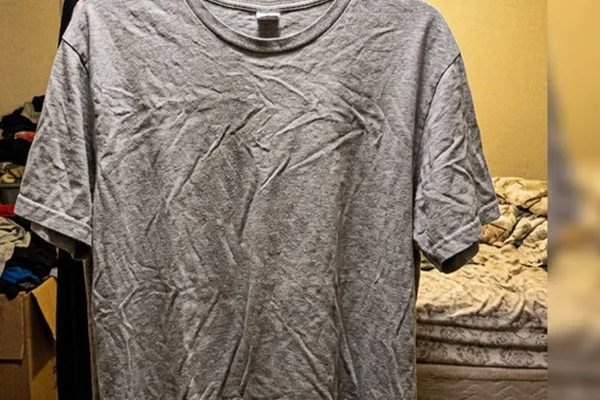
Open Studio Photo in StokX and choose a picture of your product. A shirt on a hanger, sneakers on the floor or a mug on a desk is fine; the room behind it is cut away.
- 02
Get the studio shot
The product is cut out on your phone, centered on a 1024 × 1024 white square and set down with a soft floor shadow. It happens in one step, with nothing to set up.
- 03
Adjust, then save
Change the page color in Backgrounds, switch the shadow in Shadows, crop or add text if you like. Then tap Save, and the studio photo goes to your Photos, ready to upload.
A white background photo without the studio
The messy room disappears
Bedsheets, laundry piles and doorframes are cut away with the rest of the background. What's left is your product on its own, which is all a shopper scrolling a listing grid needs to see.
A square, centered page
Every studio photo comes out 1024 × 1024, a square that suits listing grids and feed posts. The product sits in the middle with space around it, so it stays clear in a small thumbnail.
A soft floor shadow
A product on plain white with no shadow looks pasted on. Studio Photo sets a soft shadow on the floor beneath it, so it looks placed. Prefer a Soft or Hard drop shadow, or none? Change it in Shadows.
White by default
The studio background starts white, which suits marketplaces that want a plain background on the main photo. For a darker or colored look, pick another color in Backgrounds before you save.
Free, as often as you need
Studio Photo uses no coins and makes the cut-out on your phone. Shoot a full rack of new stock in one sitting and turn every photo into a matching studio shot at no cost.
Made for
- Etsy and Shopify listings
- Depop, Vinted and Poshmark
- Online store catalogs
- Wholesale line sheets
- Lookbook pages
- Product photos for ads
Frequently asked questions
What is a studio photo?
A studio photo shows a product on a clean, plain backdrop with even light and nothing else in frame. It usually takes a lightbox or a photographer. StokX Studio Photo gives you that look from an ordinary phone picture: the product is cut out, centered on a white square and given a soft shadow.
How do I add a white background to a photo?
Open Studio Photo in StokX and pick the photo. The product is cut out and placed on a white 1024 × 1024 page with a soft floor shadow, all in one step. Check the edges, then save. If you want the product with no background at all, use Remove Background instead.
Is Studio Photo free?
Yes. Studio Photo is free in the StokX app and uses no coins, because the cut-out is made on your phone. There's no charge per photo. Coins pay for generative tools instead, such as AI Backgrounds, which costs 15 coins to build a new scene around a product.
Can I use a studio background other than white?
Yes. The studio background is white by default, but you can choose another color in the editor's Backgrounds panel before saving. For a full setting instead of a plain color, like a coffee shop or a snowy street, use AI Backgrounds, which costs 15 coins.
What size is a StokX studio photo?
A square, 1024 × 1024 pixels. Square works for listing grids and Instagram feed posts. If you need another shape, open Resize in the same editor and switch to Portrait 4:5, Story 9:16 or Landscape 16:9, and the studio shot is fitted to the new page.
How should I shoot a product for a white background photo?
Shoot in even daylight with the whole product in frame. The background is removed, so it doesn't matter what's behind it, but blur, a cut-off edge or a deep shadow across the product will show. Hang clothes or lay them flat to keep their shape. That's all a good product photo with a white background needs.
Where does Studio Photo work?
Right here in your browser: open the free editor at stokx.online/editor, add a photo and tap Studio photo. Your first download is free, then web Pro gives you unlimited downloads. It's also in the free StokX app for iPhone, iPad (iOS 16 or later) and Android.




Your brand, ready to sell
Studio Photo and every other StokX tool, free to download on iPhone and Android.