Edit photosPay with coins
Change the background of a photo with AI
The StokX photo background changer takes your product out of any photo and places it in a brand-new scene. Choose one of 11 presets, from Coffee Shop to Neon Nights, or describe the scene you have in mind. It works online on this page with web Pro, and in the StokX app at 15 coins a scene.
15 coins a scene in the app · included with web Pro
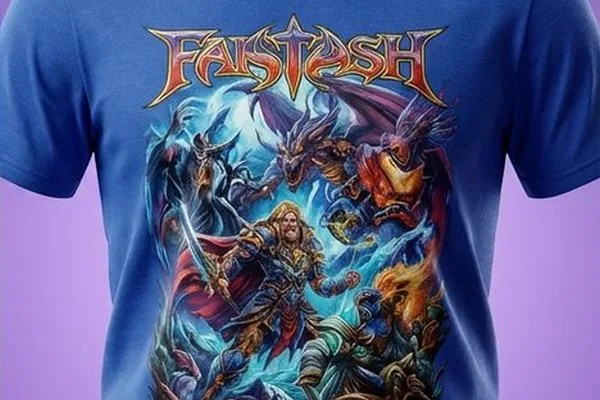
Try AI Backgrounds here
Drop a product photo, pick a scene, and get it back photographed there — right in your browser.
Scene
One picture per click. We don't store your photo — it goes to the AI model only to make this picture.
How to change the background of a photo
- 01
Choose your photo
Open AI Backgrounds in StokX and pick a photo of your product. A quick snap on a bed or a kitchen table is fine, because the product is cut out before the new scene is made.
- 02
Pick a scene
Tap one of 11 presets, like Minimalist, Golden Hour, Street Style or Winter Snow. Or choose to describe your own scene, and type what you want behind the product in plain words.
- 03
Generate and save
Spend 15 coins and the new photo opens in the editor. Save it, resize it for a post or try another scene. If a generation fails, your coins are refunded automatically.
An AI background generator with 11 ready scenes
11 scenes to start from
Minimalist, Coffee Shop, Beach Vibes, Street Style, Park Green, Golden Hour, Pastel Pop, Home Cozy, Luxury Suite, Neon Nights and Winter Snow. Each one is a complete setting, so you get a finished shot without writing a prompt.
Or describe your own
Want a marble counter, a skate park at dusk or a shelf in a bookshop? Type it. The AI background changer builds that scene around your product, for the same 15 coins as a preset.
Cut out before it's placed
Your product is lifted out of the original photo first, then placed in the new scene. The cluttered room, gray wall or crumpled bedsheet you shot it on doesn't come along.
Pay per scene
Each scene costs 15 coins, and new users get 15 free coins, enough for a first try. US App Store coin packs start at 50 coins for $1.99. Prices vary by country, and StokX Pro includes a monthly allowance of coins.
Refunded if it fails
If a scene fails to generate, your 15 coins go back to your balance automatically, with nothing to report. The refund covers failed generations, not results you'd simply like to redo.
Edit the result
The new photo lands in the StokX editor, so you can crop it, try a filter, add text or resize it to Portrait 4:5 for Instagram before you save it to Photos.
Made for
- Lifestyle shots without a photoshoot
- Instagram and TikTok posts
- Seasonal and holiday listings
- Depop and Vinted listings
- Ads and promo banners
- Mood boards for a drop
Frequently asked questions
What is an AI background changer?
An AI background changer replaces what's behind your subject with a new, generated scene. In StokX, AI Backgrounds cuts your product out of the photo, then builds a setting around it from one of 11 presets or from a sentence you type. The result opens in the editor, ready to save or adjust.
How much does it cost to change a photo background?
Each AI background costs 15 coins in the StokX app, and new users get 15 free coins, so the first scene costs nothing. After that, US App Store coin packs run from 50 coins for $1.99 to 5,000 coins for $44.99, and prices vary by country. A failed generation is refunded automatically.
Is there a free way to change a photo background?
Yes, if a plain backdrop is enough. Studio Photo puts your cut-out on a white studio page for free, and the editor's Backgrounds tool swaps in another color at no cost. AI Backgrounds, which generates a full scene like a beach or a coffee shop, is the paid option at 15 coins.
Can I describe my own background?
Yes. Choose to describe your own scene and type what you want, for example a concrete loft in morning light or a towel on wet sand. The AI background generator builds that setting around your product. A custom scene costs the same 15 coins as a preset and is refunded if it fails.
What kind of photo works best?
A sharp photo with the whole product in frame. The old background is replaced, so a messy room is fine, but blur, a cropped-off sleeve or a heavy shadow across the product will show in the result. Daylight from a window helps, and a hanger or a flat lay keeps clothes in shape.
How is it different from Remove Background?
Remove Background is free and leaves your subject on a transparent page. AI Backgrounds goes a step further and fills that space with a generated scene, for 15 coins. Use the first when you need a PNG or a plain studio look, and the second when you want a lifestyle shot.
Where can I use AI Backgrounds?
In the StokX app for iPhone, iPad and Android, where each scene costs 15 coins. It's also on this page with web Pro, a subscription billed by Whop that unlocks the AI tools on stokx.online: sign in with Google, get Pro, and the tool above switches on. The app's Pro and web Pro are bought separately.


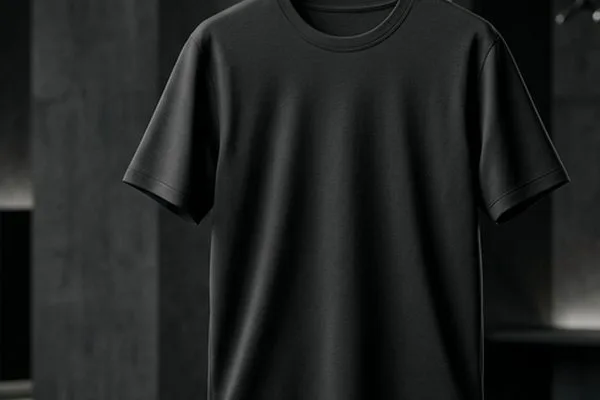
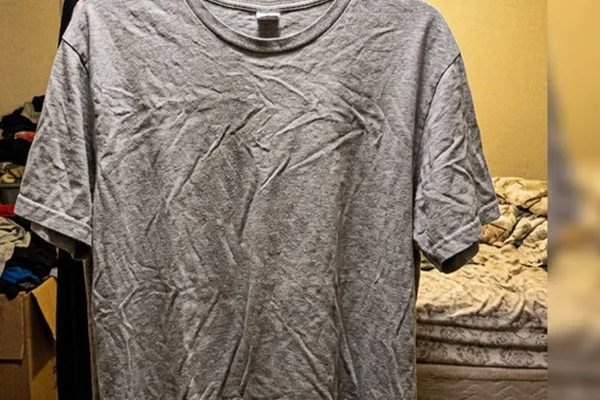


Your brand, ready to sell
AI Backgrounds and every other StokX tool, free to download on iPhone and Android.